Granting a power of attorney through ePorezna
Instructions for manually adding authorisation in ePorezna so Pametno Računovodstvo d.o.o. can represent your company before the Tax Administration.
Adding an authorised representative
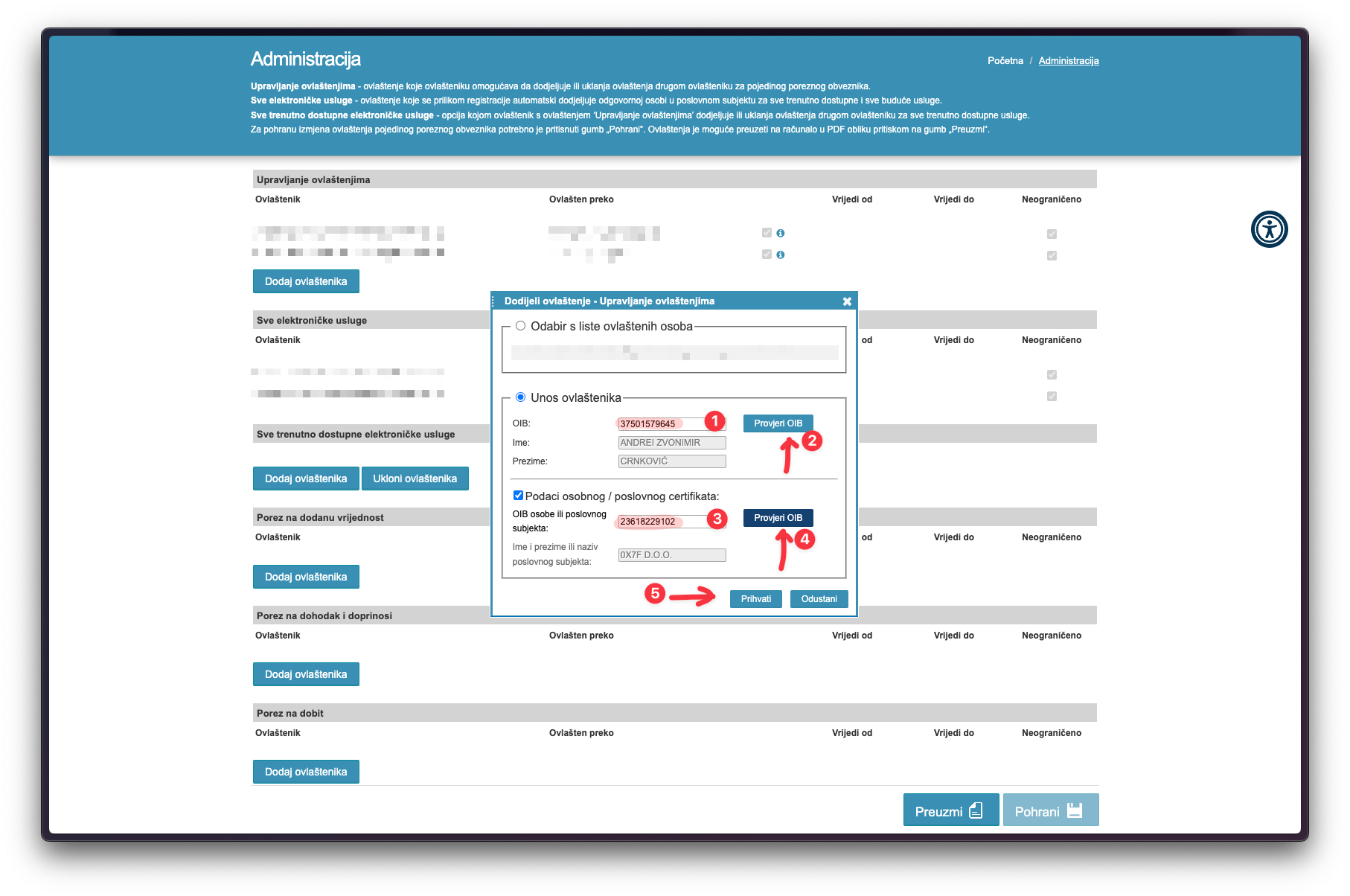
Enter the OIB for both authorised representatives:
| Name | OIB |
|---|---|
| Andrei Zvonimir Crnković | 37501579645 |
| Pametno računovodstvo d.o.o. | 23618229102 |
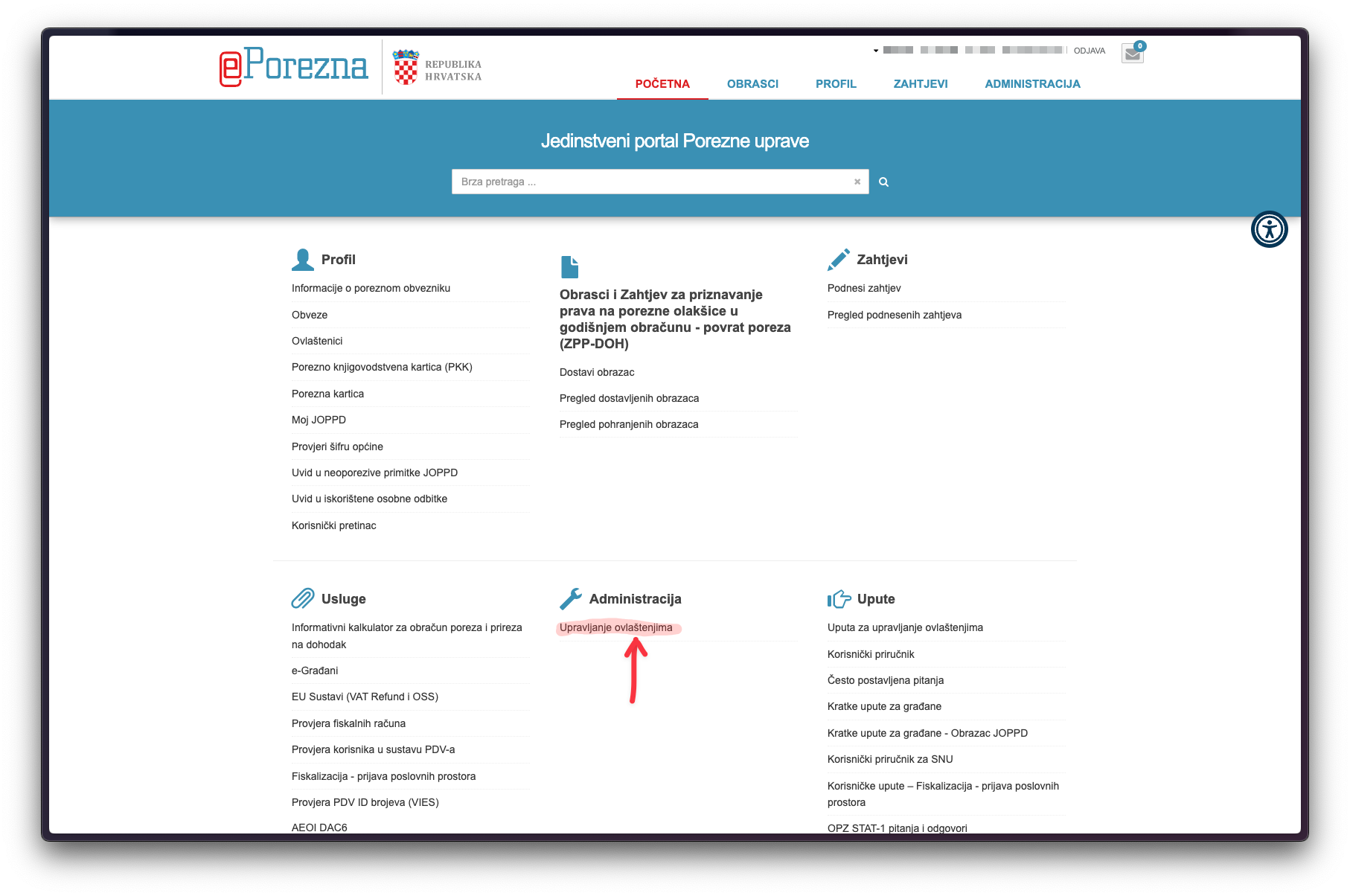
Open the ePorezna portal and find Administration
Sign in to the ePorezna portal and find "Upravljanje ovlaštenjima" (manage authorisations) in the "Administracija" section.
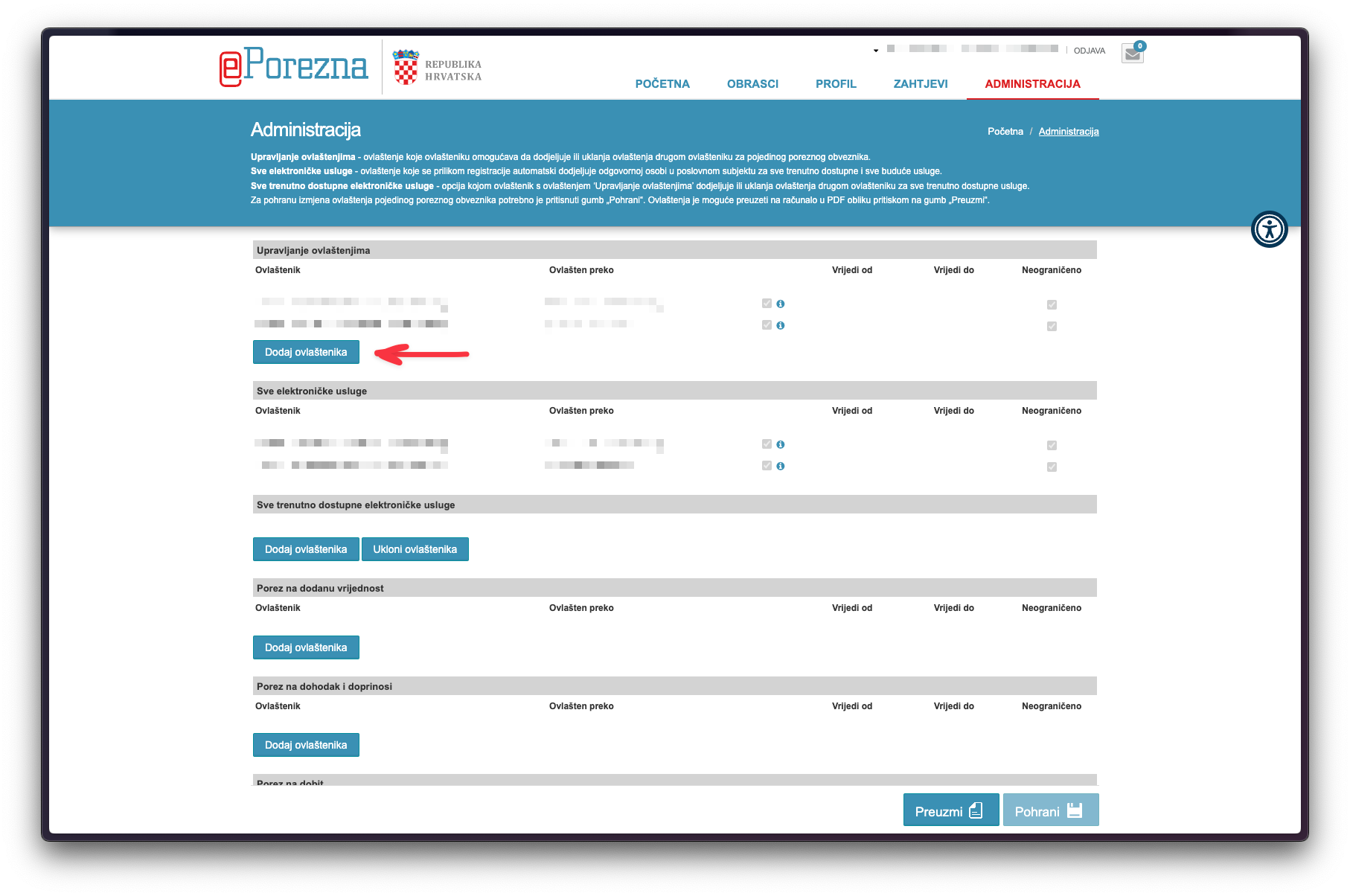
Add a new authorised representative
Click "Dodaj ovlaštenika" (add authorised representative) to start.
Enter the OIBs of both authorised representatives
In the same window, enter the OIB for Andrei Zvonimir Crnković (37501579645), then also add Pametno računovodstvo d.o.o. (23618229102). After entering both OIBs, click to confirm.
Confirm and save
Review the details and confirm adding the authorised representatives, then click "Pohrani" (save).
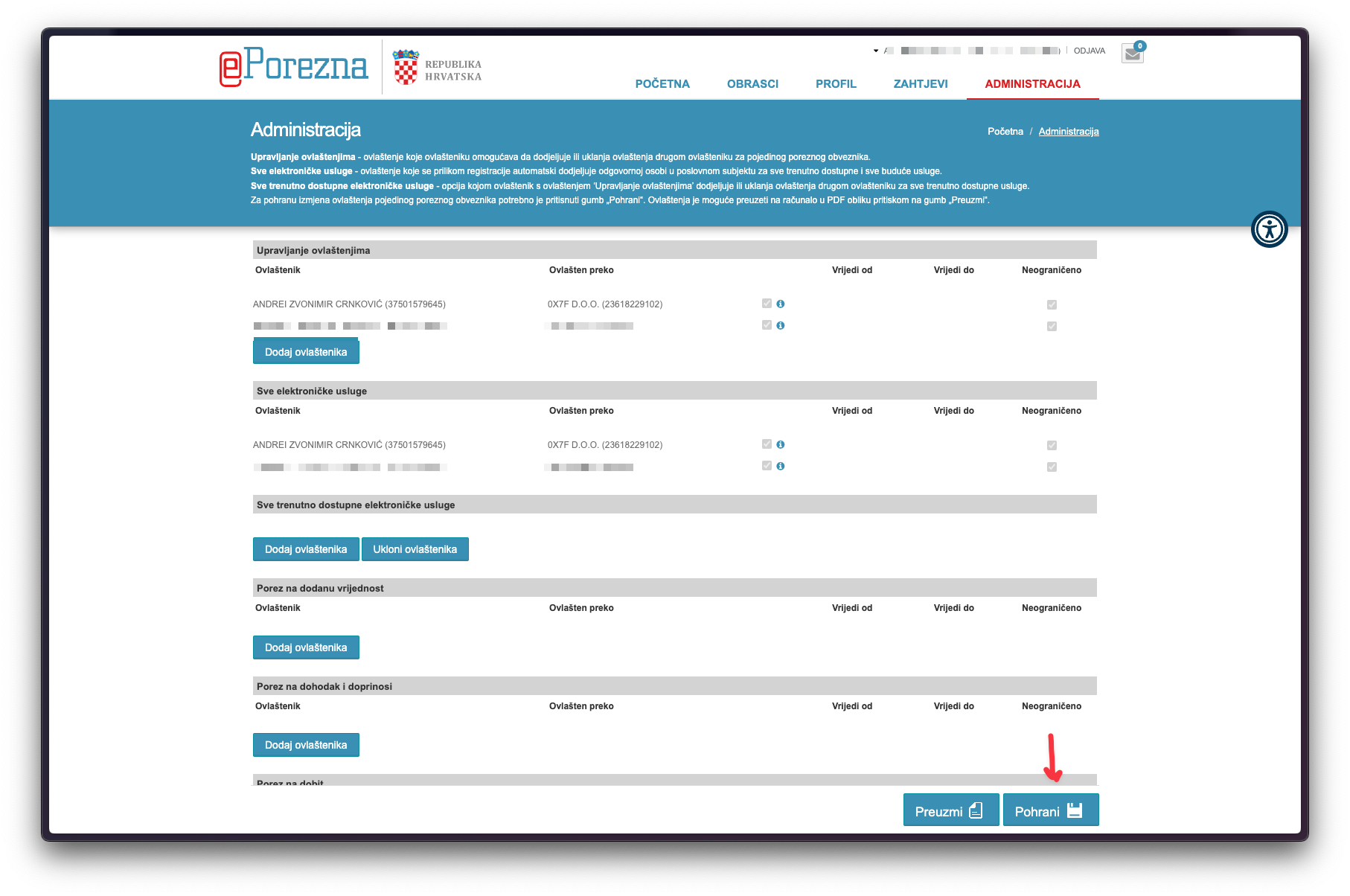
Add Andrei to all electronic services
After saving, add Andrei Zvonimir Crnković to all available electronic services.

Finish and save again
After adding electronic services, make sure you click "Pohrani" (save) again to apply the changes.
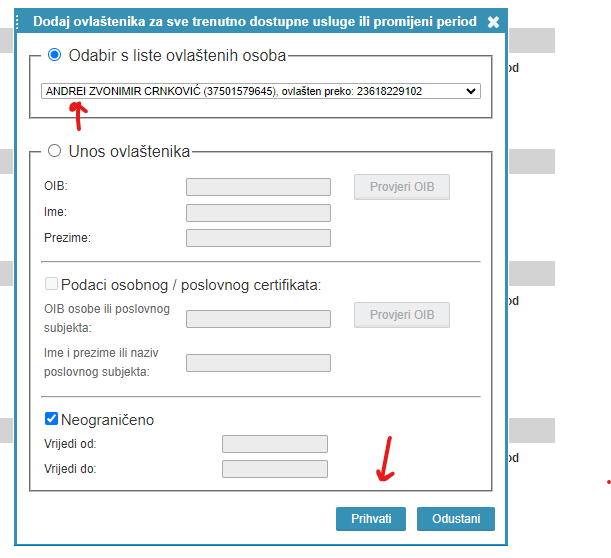
Important: Remember to click "Pohrani" (save) after this step!
For further questions, please contact us.