
Granting a power of attorney through eOvlaštenja
To represent your company before the Croatian Pension Insurance Institute, Fina and other institutions, Pametno Računovodstvo d.o.o. needs to be granted authorisation. Since 2025, we have used the eOvlaštenja application for this. The service requires authentication and signing at the highest level: identity card, Certila, or FINA certificate.
Before starting, please check that you can sign digitally. If you need assistance, we are here to help.
1
Select the e-Ovlaštenja service on the e-Građani portal
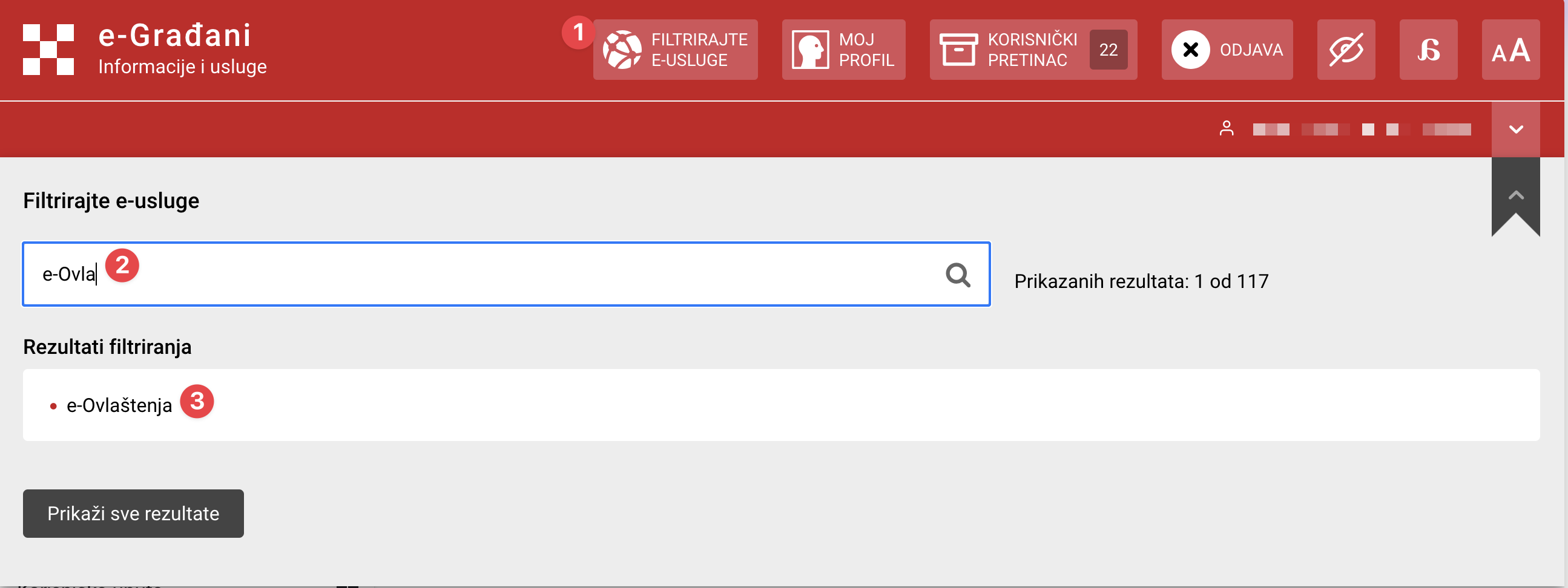
2
Select the entity
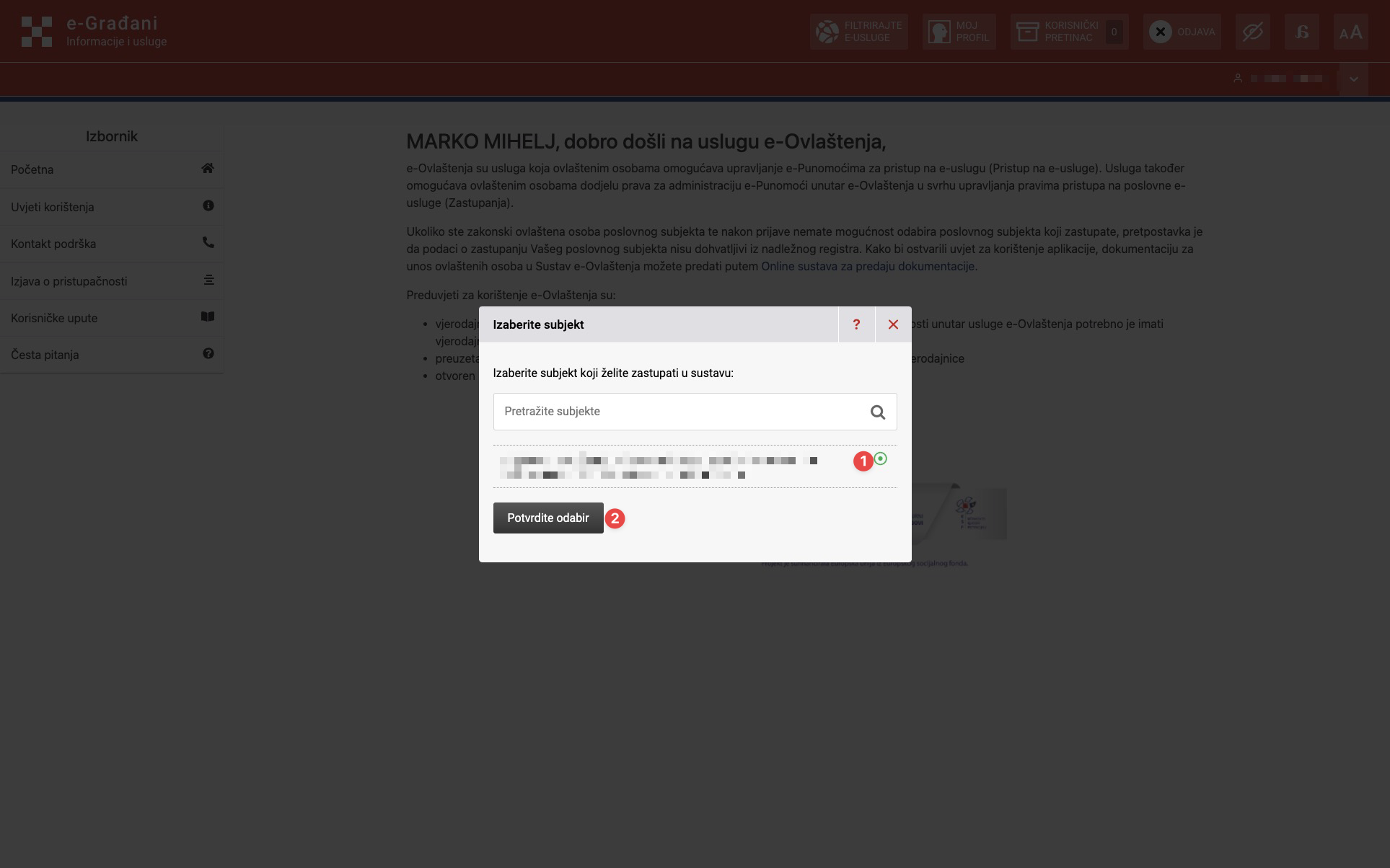
3
Accept the terms of use when opening the service for the first time
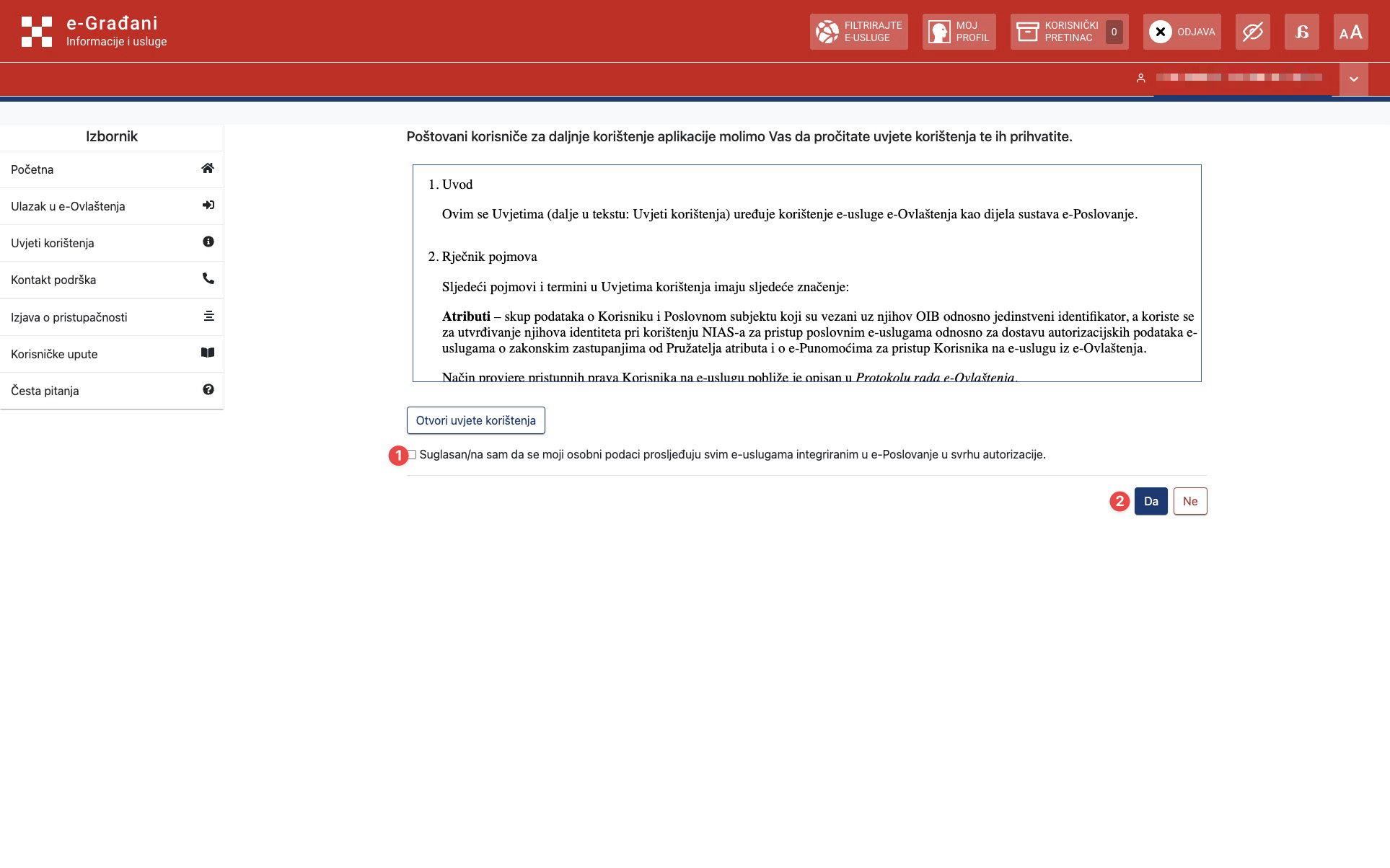
4
Select the option to add representation
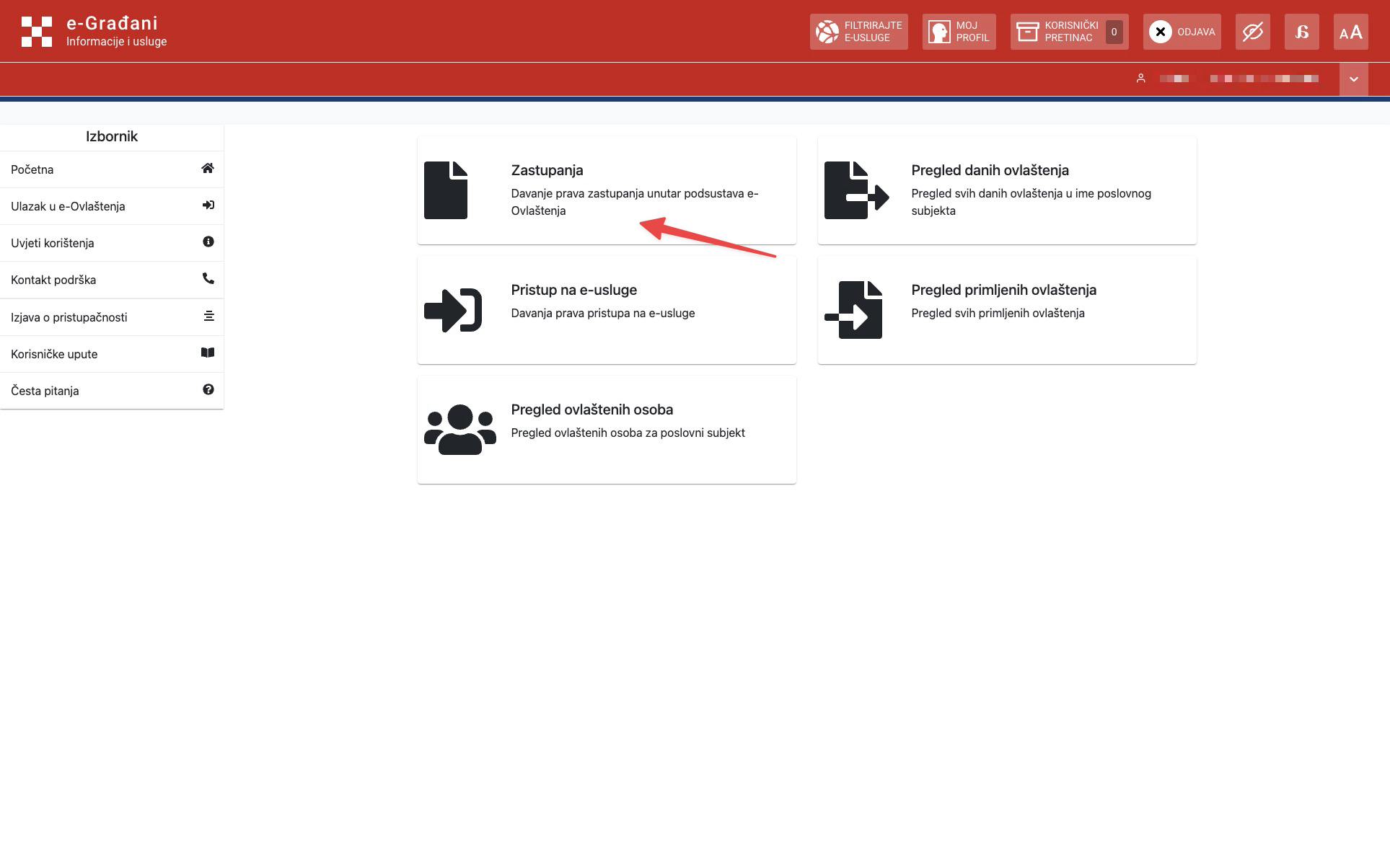
5
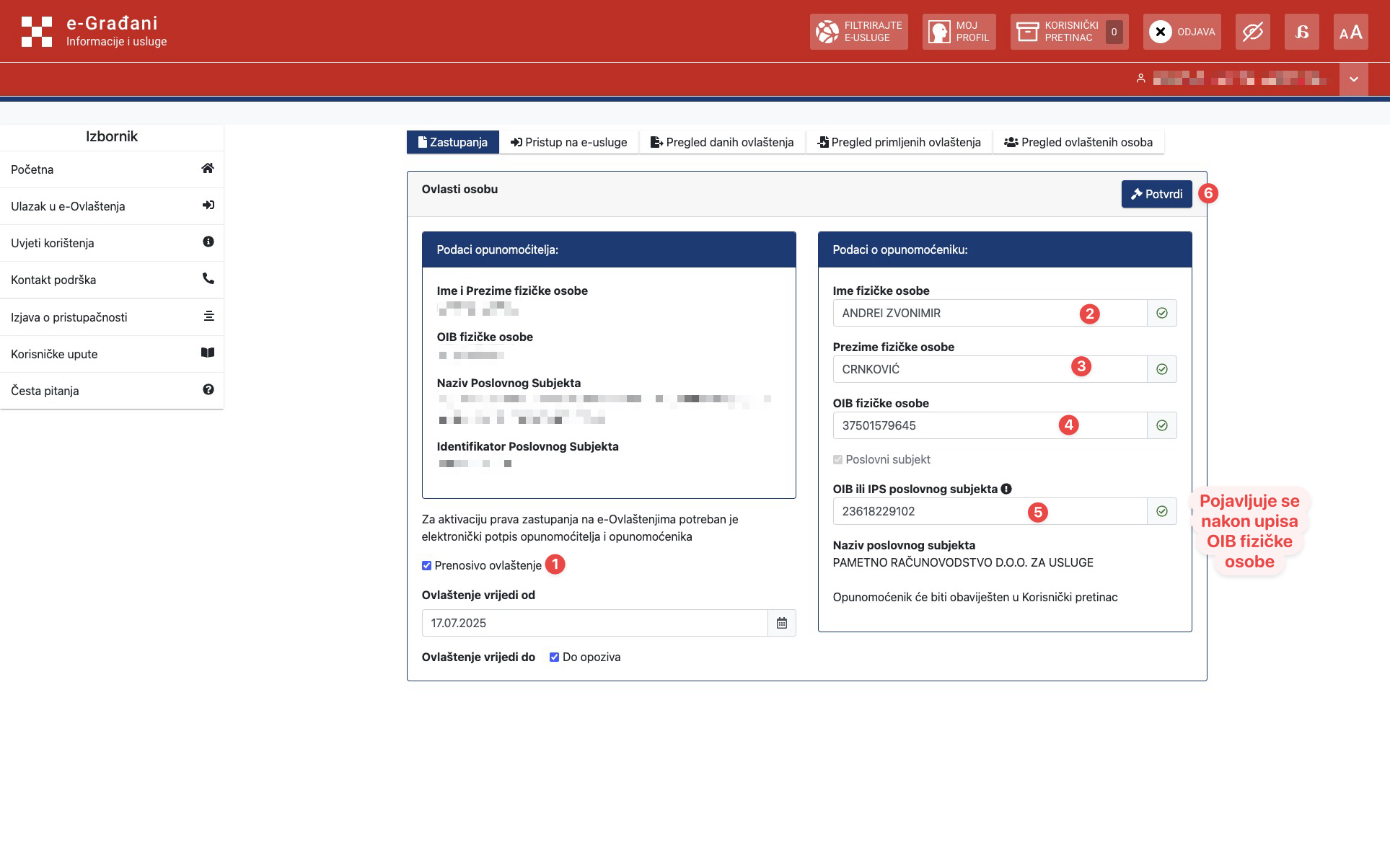
Enter the details
Enter the details and select "Prenosivo ovlaštenje" (transferable authorisation). The "OIB poslovnog subjekta" (business entity OIB) field appears after you enter the individual's OIB.
| Field | Value |
|---|---|
| First name of the individual | Andrei Zvonimir |
| Last name of the individual | Crnković |
| OIB of the individual | 37501579645 |
| OIB of the business entity | 23618229102 |
6
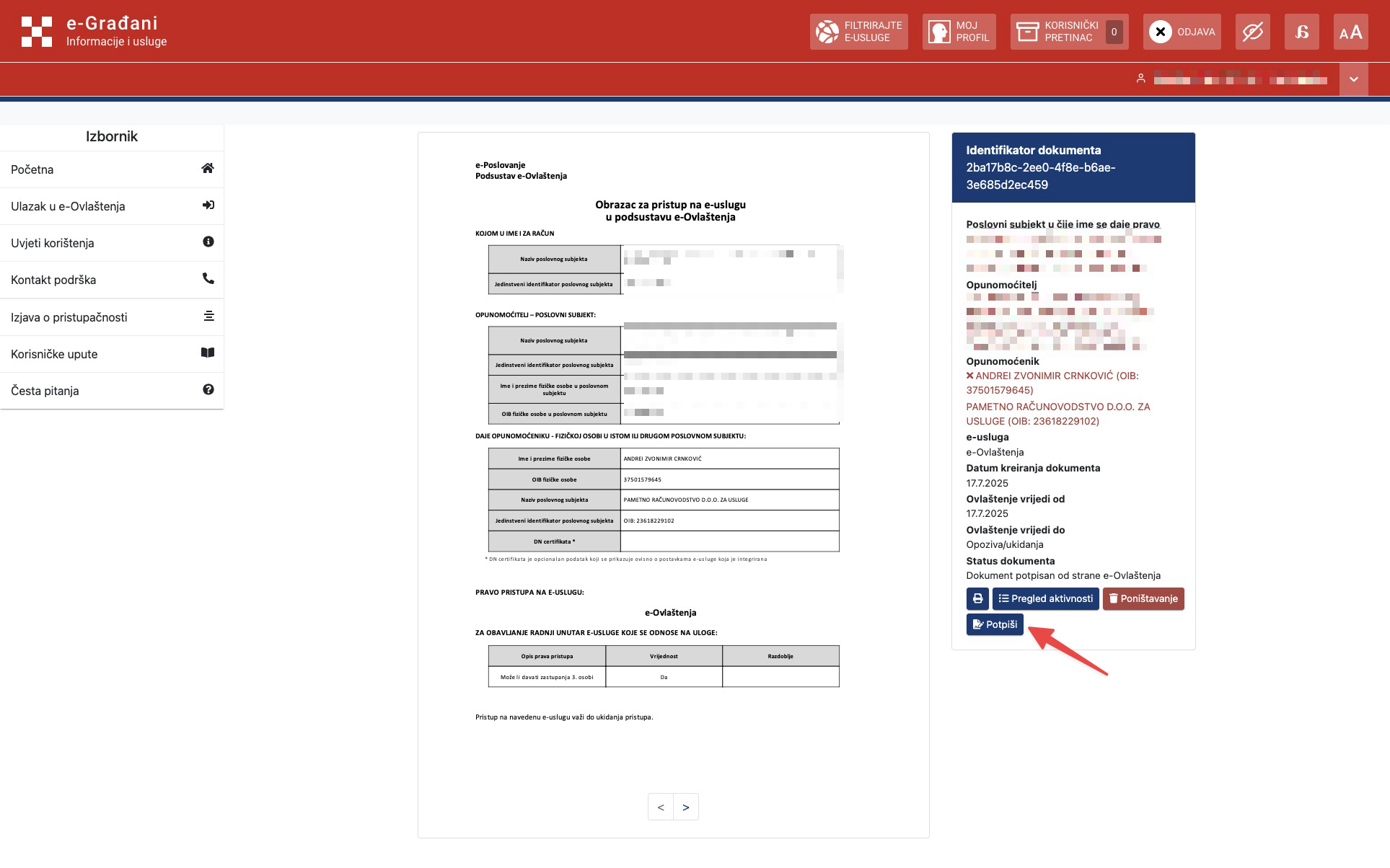
Review the details and start signing
7
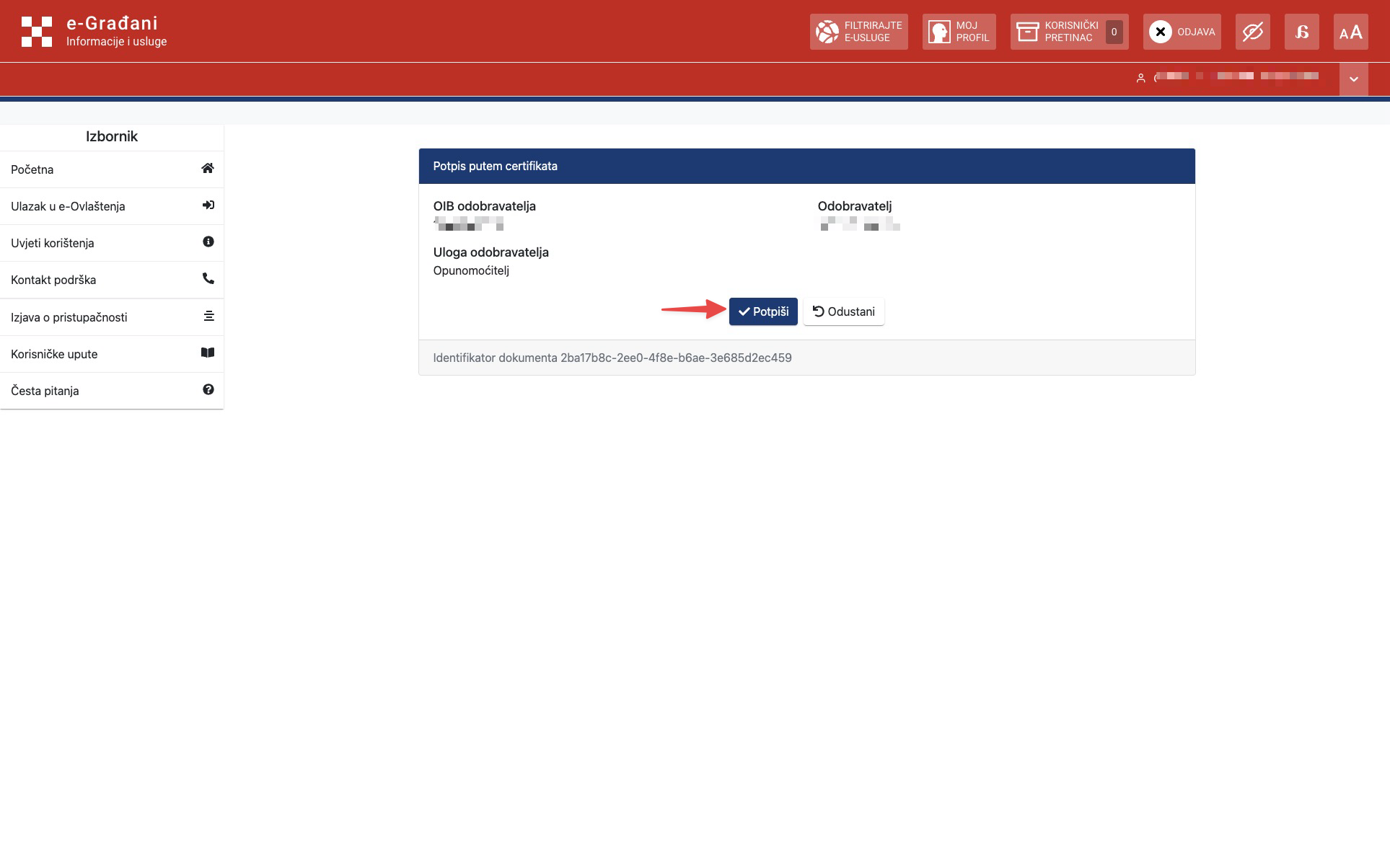
Signing
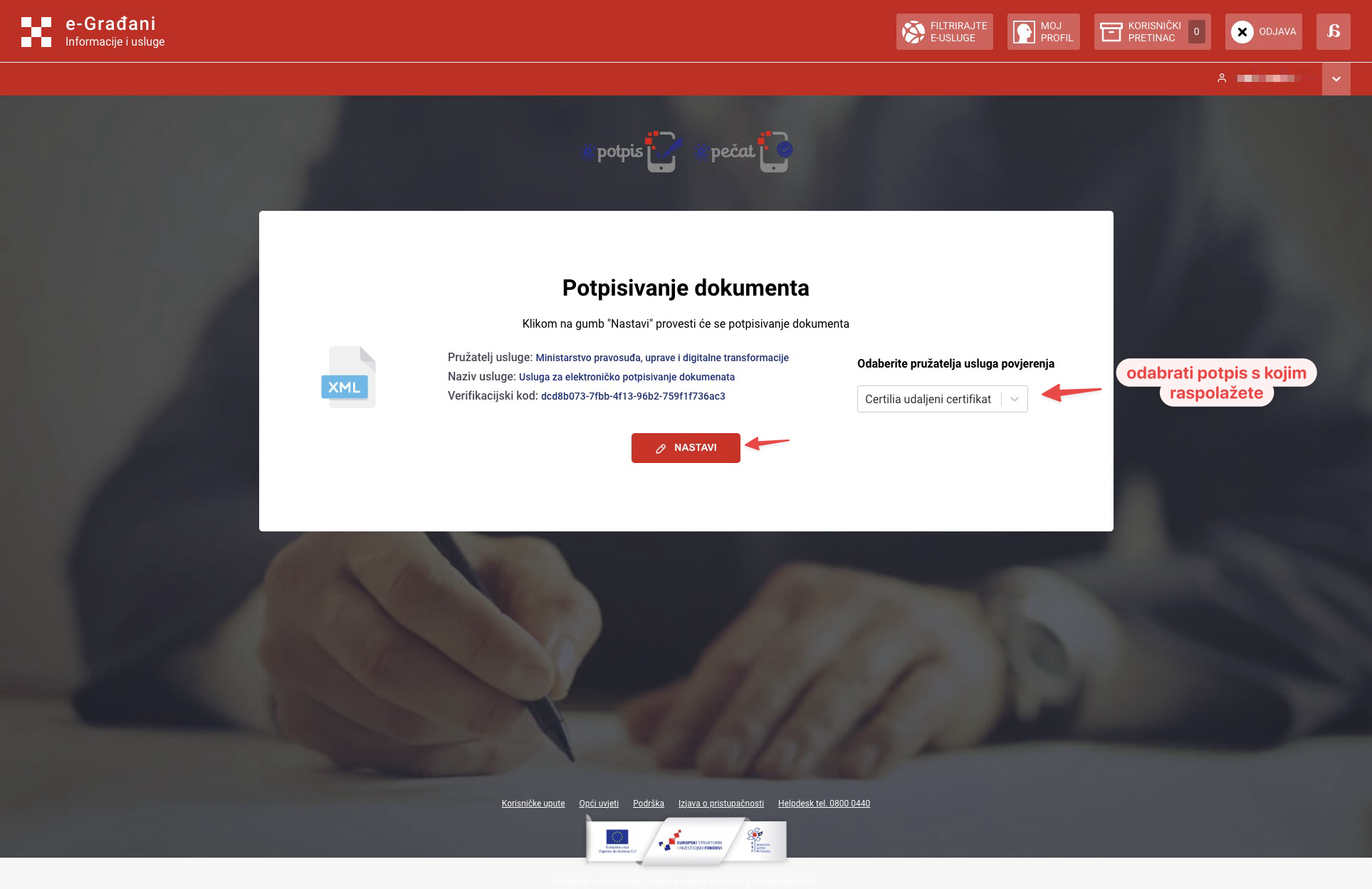
The next step is to sign the request. Follow the on-screen instructions for your authentication method. If you use Certilia, you will be asked to enter your signing password and confirm the request.
For further questions, please contact us.